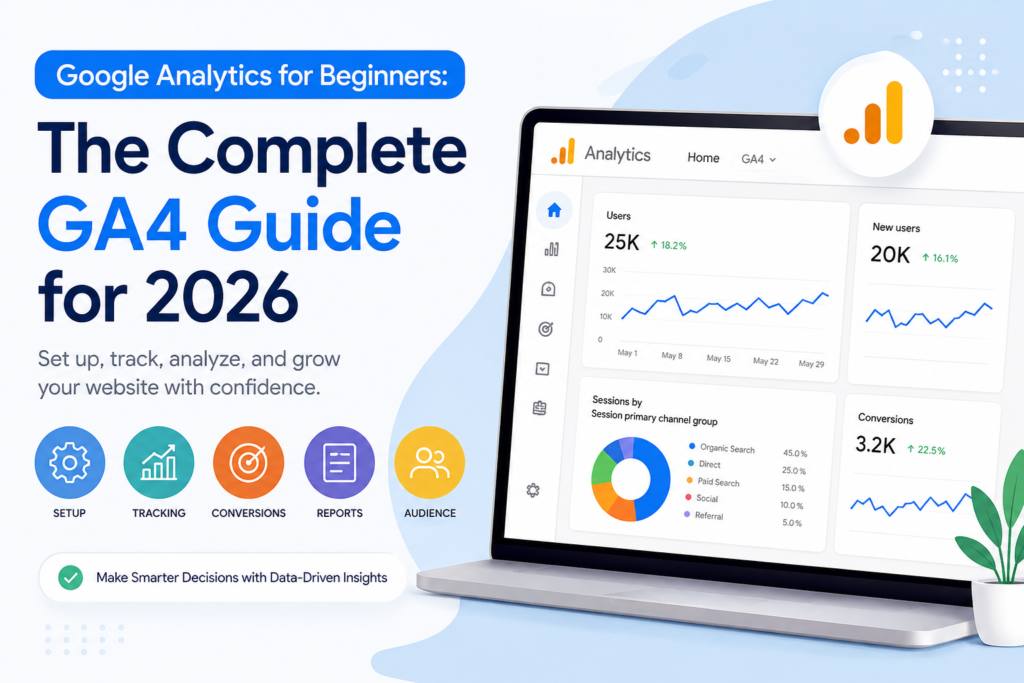
Google Analytics for Beginners: The Complete GA4 Guide for 2026

Introduction
Understanding how visitors interact with your website is essential for making informed marketing decisions. Google Analytics helps businesses track user behavior, traffic sources, conversions, and overall website performance, providing valuable insights that support data-driven growth strategies.
This beginner-friendly Google Analytics guide covers the essentials of GA4, including setup, tracking, conversions, and reporting. A properly configured Google Analytics account helps businesses turn data into actionable insights and make smarter marketing decisions.
By the end of this guide, you’ll understand how to set up GA4 correctly and use its reports to improve marketing performance and business results.
What Is Google Analytics?
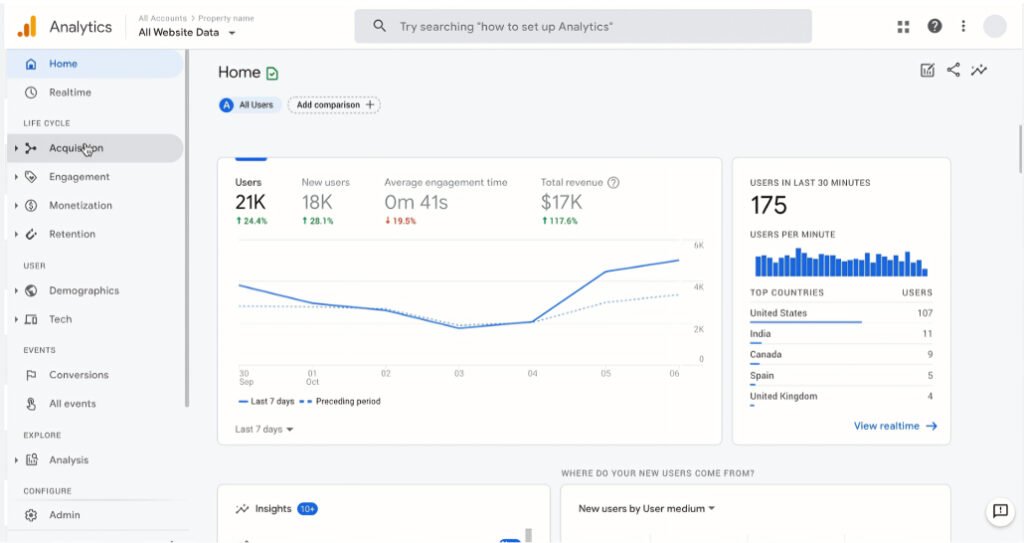
Google Analytics is a free analytics platform developed by Google that helps website and app owners understand how users find and interact with their digital properties.
The latest version, Google Analytics 4 (GA4), replaced Universal Analytics and is now Google’s standard measurement platform. It provides detailed information about visitor behavior, engagement, conversions, and marketing performance across websites and mobile apps.
With a basic GA4 setup, you can track:
- Total website visitors
- Traffic sources such as search engines, social media, and paid ads
- Most visited pages
- User interactions and engagement
- Conversion actions and business goals
Although GA4 starts collecting data immediately after installation, the most valuable insights come from customized tracking and proper configuration. Defining your goals and measurement strategy allows you to gather information that directly supports business growth.
Why Businesses Use Google Analytics

Google Analytics helps businesses make smarter marketing decisions by showing which strategies generate results and which need improvement.
Some of the most common uses include:
1. Identifying High-Performing Traffic Sources
GA4 shows exactly where visitors come from, whether through organic search, paid advertising, social media, referrals, email campaigns, or direct visits. This helps marketers focus resources on channels that deliver the best return on investment.
2. Evaluating Website Content Performance
Analytics reports reveal which pages attract the most visitors, keep users engaged, and generate conversions. Businesses can use this information to improve underperforming content and create more of what works.
3. Measuring Conversion Growth
GA4 allows you to track important actions such as purchases, lead form submissions, newsletter sign-ups, and appointment bookings. Monitoring these conversions helps determine whether marketing efforts are driving real business outcomes.
4. Understanding Your Audience
Detailed audience reports provide insights into visitor demographics, locations, devices, interests, and browsing behavior. These insights support better content creation, advertising, and customer targeting strategies.
5. Detecting Problems Early
Analytics can quickly reveal issues such as declining traffic, poor-performing landing pages, low conversion rates, or technical problems that affect user experience. Identifying these challenges early helps prevent larger business impacts.
How Google Analytics Works
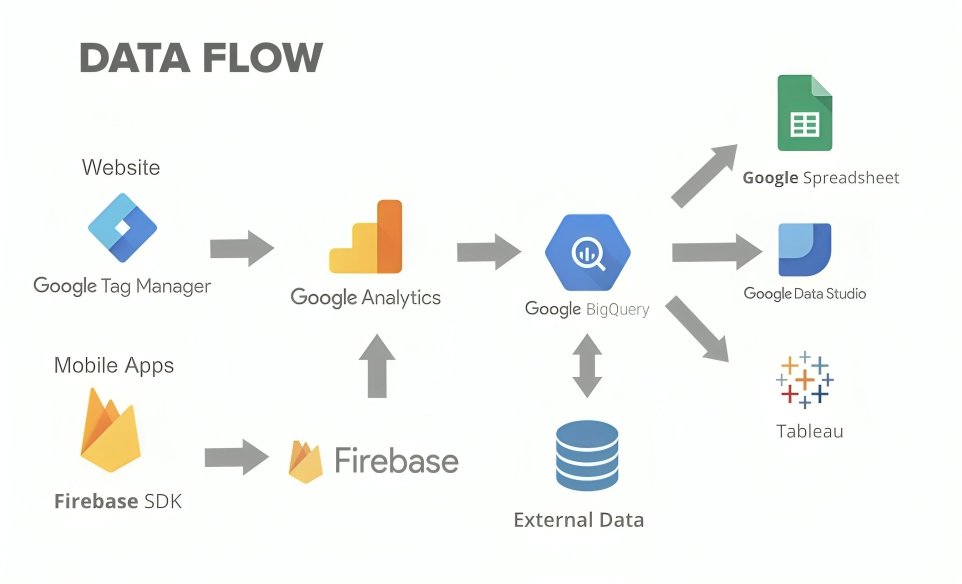
Google Analytics collects information about user interactions and transforms that information into actionable reports.
In GA4, every interaction is recorded as an event. Examples include:
- Page views
- Button clicks
- Scroll activity
- File downloads
- Video engagement
- Purchases
Each event can contain additional details, known as parameters, that provide context about the action.
A tracking code installed on your website sends this information to GA4. The platform processes the data and organizes it into reports that help marketers understand visitor behavior and website performance.
These reports make it easier to evaluate marketing campaigns, optimize user experiences, and improve business results.
FAQs
1. What is Google Analytics 4 (GA4) and why is it important?
Google Analytics 4 (GA4) is the latest version of Google Analytics that helps businesses track website and app performance. It provides insights into user behavior, traffic sources, conversions, and engagement, making it essential for improving marketing strategies and making data-driven decisions.
2. How do I set up Google Analytics for my website?
To set up Google Analytics, create a GA4 account, add your website as a property, and install the tracking code on your site using Google Tag Manager, a WordPress plugin, or manual code. Once installed, verify the setup using the Realtime report in GA4.
3. What are key events (conversions) in GA4?
Key events in GA4 are important actions you want to track on your website, such as form submissions, purchases, sign-ups, or downloads. Marking these events as key events helps you measure conversions and evaluate the success of your marketing campaigns.
ALSO READ:
Aman Khati
Digital marketing expert at Gundrux. Specialising in SEO, WordPress, Social Media Automation and Faceless AI YouTube.