Google Search Console 2026: Complete Beginner’s Guide

Introduction
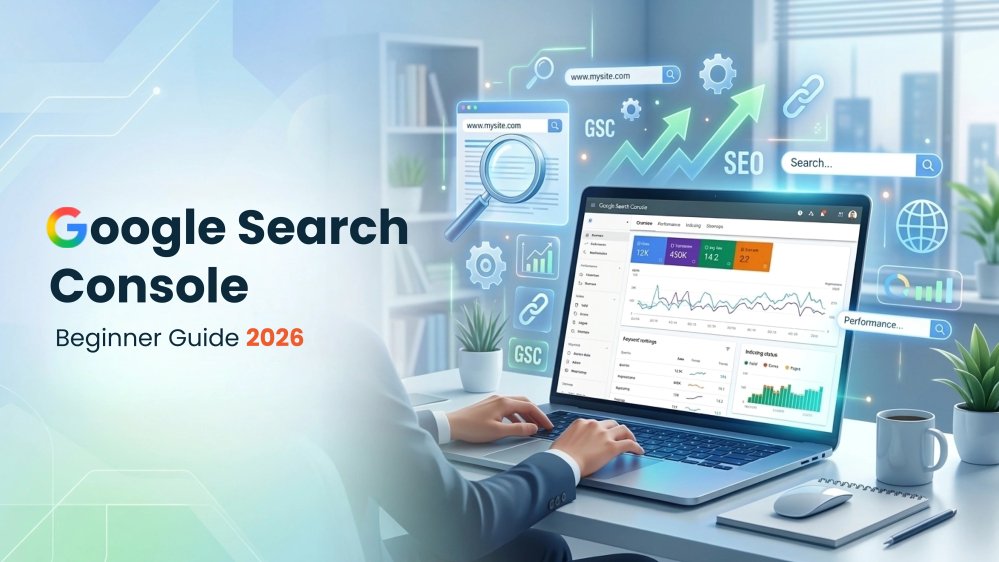
Google Search Console Guide is your complete resource for understanding how Google views your website. Whether you own a business website, blog, or eCommerce store, Google Search Console helps you monitor search performance, identify technical issues, and improve your website’s visibility in Google Search.
Unlike analytics tools that focus on visitor behavior, Google Search Console provides insights directly from Google. It shows which keywords drive traffic, which pages are indexed, how users find your website, and what technical issues may be affecting your rankings.
By using Google Search Console regularly, you can discover indexing problems, improve page performance, monitor Core Web Vitals, and make informed SEO decisions.
In this guide, you’ll learn how to set up Google Search Console, understand its key reports, and use its features to improve your website’s SEO.
What Is Google Search Console?
Google Search Console is a free service from Google that helps website owners monitor and troubleshoot their website’s presence in Google Search.
It provides information about:
- Search impressions
- Organic clicks
- Average search position
- Click-through rate (CTR)
- Search queries
- Indexed pages
- Core Web Vitals
GSC does not directly increase your rankings. Instead, it provides data and tools that help you understand how Google crawls, indexes, and displays your website.
Why Is Google Search Console Important for SEO?
Google Search Console is important because it gives you first-party data about your website’s performance in Google Search.
Benefits of Google Search Console
- Monitor keyword performance
- Improve website indexing
- Detect crawl errors
- Identify mobile usability issues
- Improve Core Web Vitals
- Track backlinks
- Receive security alerts
- Optimize technical SEO
How to Set Up Google Search Console
Step 1 – Sign In
Visit Google Search Console and sign in using your Google account.
Step 2 – Add Your Property
Choose one of the following:
- Domain Property
- URL Prefix Property
Step 3 – Verify Ownership
Verify your website using one of these methods:
- DNS Record
- HTML File
- HTML Tag
- Google Analytics
- Google Tag Manager
Step 4 – Submit Your XML Sitemap
Navigate to:
Indexing → Sitemaps
Submit:
https://yourdomain.com/sitemap.xml
Understanding the Google Search Console Dashboard
After verification, Google Search Console provides several reports and tools.
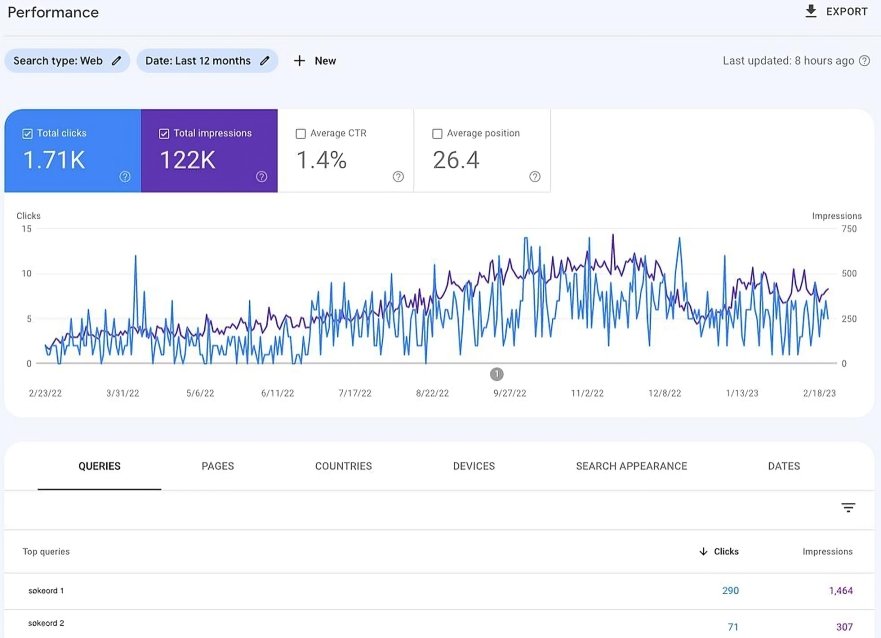
1. Performance Report
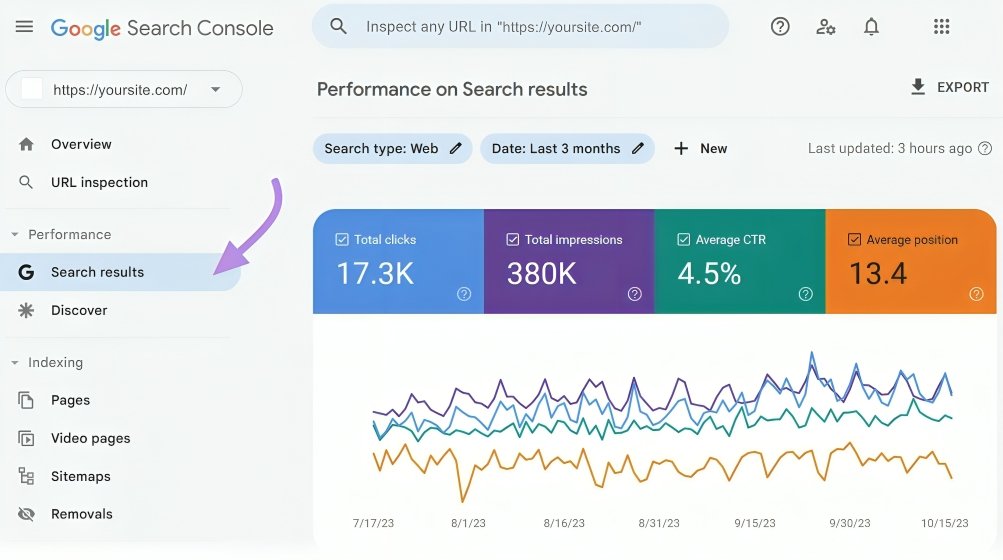
Monitor:
- Clicks
- Impressions
- CTR
- Average Position
- Top Queries
- Top Pages
2. URL Inspection Tool
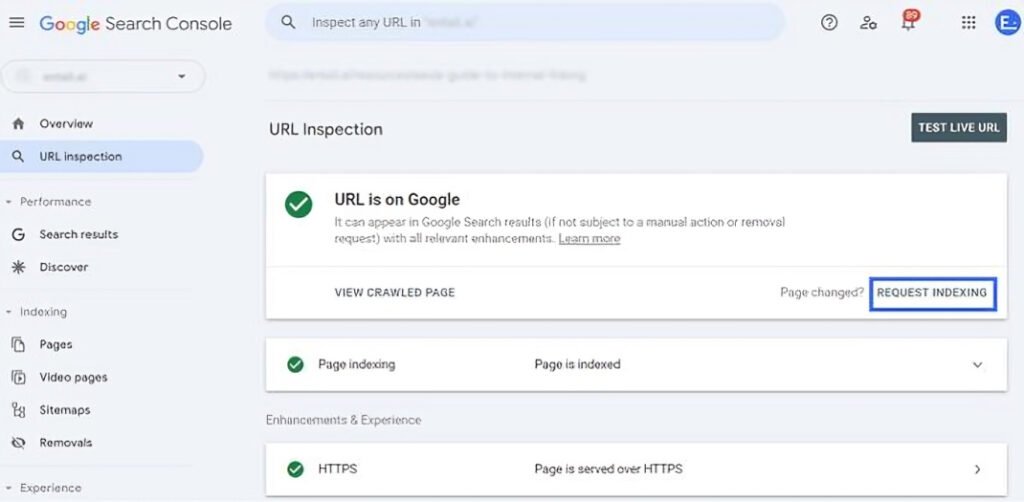
Use it to:
- Check indexing
- Request indexing
- Identify crawl issues
3. Indexing Report
Review:
- Indexed pages
- Excluded pages
- Crawl errors
- Noindex pages
4. Core Web Vitals
Monitor:
- Largest Contentful Paint (LCP)
- Interaction to Next Paint (INP)
- Cumulative Layout Shift (CLS)
5. Links Report
View:
- Internal links
- External links
- Top linked pages
- Referring domains
6. Security & Manual Actions
Check for:
- Malware
- Hacked pages
- Spam
- Manual penalties
Common Google Search Console Errors
- Page not indexed
- Submitted URL not found (404)
- Redirect error
- Blocked by robots.txt
- Duplicate page
- Mobile usability issues
- Core Web Vitals warnings
Best Practices
- Check Search Console weekly
- Submit updated sitemaps
- Fix crawl errors quickly
- Monitor keyword performance
- Review indexing after publishing new content
- Improve low CTR pages
- Keep Core Web Vitals healthy
Common Mistakes
- Ignoring indexing issues
- Never checking reports
- Forgetting to submit sitemaps
- Ignoring manual actions
- Not monitoring backlinks
Conclusion
Google Search Console is one of the most valuable free SEO tools available. By monitoring your website regularly, fixing indexing issues, and using performance data to improve your content, you can make informed decisions that support long-term organic growth.
Whether you’re just starting with SEO or managing a large website, Search Console should be a core part of your optimization workflow.
ALSO READ:
FAQs
1. Is Google Search Console Free?
Yes. Google Search Console is completely free to use.
2. How often should I check Google Search Console?
At least once a week, and after publishing important new pages.
3. Can Google Search Console improve rankings?
It doesn’t directly improve rankings, but it helps you identify issues that may prevent your pages from performing well.
4. Can I use Google Search Console for keyword research?
Yes. Search queries and page performance data can reveal useful keyword and content opportunities.
5. Do I need Google Search Console if I already use Google Analytics?
Yes. Both tools provide different insights and work best when used together.
Aman Khati
Digital marketing expert at Gundrux. Specialising in SEO, WordPress, Social Media Automation and Faceless AI YouTube.